

Meta tags are HTML elements that provide information about a web page to search engines,
browsers, and other systems. They are generally placed inside the
<head> section of an HTML document and are not displayed as normal page content.
But not every meta tag is an SEO ranking factor. Some affect how Google crawls or indexes
a page, some can influence the search snippet, and others mainly serve browsers or social
platforms. Some old tags, such as the meta keywords tag, have no effect on Google Search ranking.
This guide explains which metadata matters for Google SEO, what does not, and how to use the most important elements correctly.
Do Meta Tags Affect SEO?
Yes, some do, but their purposes are different.
Google supports several meta tags, including the description and
robots tags. Google does not use the keywords meta tag for Search ranking.
It is also important to make a technical distinction: the HTML
<title> element is not technically a meta tag. However,
SEO practitioners often discuss it alongside meta tags because it is one of
the most important pieces of metadata used to represent a page in Google Search.
Which Meta Tags and Page Metadata Matter?
| Element | Google SEO Role | What to Know |
|---|---|---|
<title> |
Important | Provides a major source for Google's title link and should clearly describe the page. |
<meta name="description"> |
Useful | Can be used for the search snippet, but Google may generate a different snippet from page content. |
<meta name="robots"> |
Important when used | Controls supported crawling, indexing, and snippet directives. |
rel="canonical" |
Important for duplicate/alternate URLs | Helps indicate the preferred canonical URL. It is a link element, not a meta tag. |
| Open Graph metadata | Primarily social | Controls information used by social platforms and sharing systems; it is not a substitute for Google SEO fundamentals. |
meta name="viewport" |
Browser/mobile presentation | Important for responsive page rendering, but it should not be confused with a direct ranking tag. |
meta charset |
Document technical metadata | Defines character encoding and helps browsers interpret the document correctly. |
meta name="keywords" |
Not used by Google Search | Do not spend SEO effort creating a keyword meta tag. |
1. The HTML Title Element
The <title> element specifies the page title and is one of
the most important elements to optimize for search appearance.
Google uses several sources when generating a title link, including the page's
<title>, visible headings, prominent text, links pointing to
the page, and other signals. Therefore, the title should accurately represent
the page rather than simply repeat keywords.
Example
<title>Meta Tags for SEO: How Google Uses Them (Complete Guide)</title>
Good Title Practices
- Describe the actual content of the page.
- Keep the wording concise and specific.
- Use the primary topic naturally.
- Avoid repetitive keyword lists.
- Make the visible page heading consistent with the title's subject.
- Do not use unsupported claims such as "guaranteed rankings" or "#1."
2. Meta Description
The meta description provides a short summary of a page. Google may use it as the search-result snippet when it considers the description more useful than text elsewhere on the page. However, Google primarily generates snippets automatically from page content and can show different snippets for different searches.
Example
<meta name="description" content="Learn which meta tags matter for Google SEO, what to avoid, and how to optimize important page metadata.">
How to Write a Useful Meta Description
- Accurately summarize the page.
- Make the description useful to a searcher deciding whether to click.
- Include the main topic naturally when appropriate.
- Avoid keyword stuffing.
- Do not assume Google will always display the exact description you provide.
There is no fixed character limit imposed on the meta description element itself. Google truncates search-result snippets according to the available display space and query context.
3. Meta Robots
The robots meta tag provides directives that can control how search
engines handle a page. Google supports directives such as noindex,
nofollow, nosnippet, and max-snippet, among others.
Allow Normal Indexing
For a normal indexable page, you generally do not need to add a robots meta tag at all. Avoid adding restrictive directives unless you have a specific reason to use them.
Prevent Indexing
<meta name="robots" content="noindex">
This tells Google not to include the page in its search index after Google has been able to crawl and process the directive.
Prevent Snippets
<meta name="robots" content="nosnippet">
This prevents Google from displaying a text snippet for the page.
Limit Snippet Length
<meta name="robots" content="max-snippet:160">
This can specify a maximum number of characters Google may use for a text snippet.
4. Meta Keywords: Do Not Use Them for Google SEO
The meta keywords tag is an obsolete SEO technique for Google Search.
Google explicitly states that the meta keywords tag is not used for Search ranking and has no effect on indexing or ranking.
Old Example
<meta name="keywords" content="seo, meta tags, google seo, meta description">
Adding this tag does not provide a Google ranking advantage. Modern SEO should focus instead on the actual page content, useful titles, accurate descriptions, crawlable links, appropriate indexing directives, and other signals Google can use to understand the page.
5. Canonical URL: Important, but Not a Meta Tag
A canonical URL is often discussed in the same SEO conversation as meta tags,
but technically it is normally specified with a link element rather
than a meta element.
Example
<link rel="canonical" href="https://example.com/example-page.html">
Canonicalization helps Google determine which URL should represent a group of
duplicate or very similar pages. Google describes redirects and
rel="canonical" as strong canonicalization signals, while sitemap
inclusion is a weaker signal.
Do not add a canonical URL simply because it is an SEO convention. It should accurately identify the preferred version of substantially duplicate or alternate URLs.
6. Open Graph and Social Metadata
Open Graph metadata is primarily designed to control how a page is represented when shared on social platforms and messaging systems. It should therefore be treated separately from Google Search ranking metadata.
Example
<meta property="og:title" content="Meta Tags for SEO: How Google Uses Them">
<meta property="og:description" content="Learn which metadata matters for Google SEO and how to optimize it correctly.">
<meta property="og:type" content="article">
Google can consider og:title among several sources when automatically
generating title links, but this does not mean Open Graph metadata replaces a
well-written HTML title or useful visible content.
7. Charset and Viewport Metadata
Some metadata is important for the technical operation and presentation of a web page but should not be confused with direct Google ranking factors.
Character Encoding
<meta charset="UTF-8">
This tells the browser how to interpret the document's character encoding.
Viewport
<meta name="viewport" content="width=device-width, initial-scale=1">
This helps browsers display responsive pages appropriately on mobile devices.
These elements belong to a broader HTML/document-metadata discussion rather than the narrow category of Google Search ranking tags.
How to Check Meta Tags on a Website
You can inspect the HTML source of a page to see its metadata.
- Open the page in your browser.
- Right-click the page and choose the option to view the page source.
- Look inside the
<head>section. -
Search for
<title>,meta name="description",meta name="robots", andrel="canonical". - Check whether the values accurately describe the page.

What Should a Basic SEO Page Head Contain?
A simplified example might look like this:
<head>
  <meta charset="UTF-8">
  <meta name="viewport" content="width=device-width, initial-scale=1">
  <title>Example SEO Page Title</title>
  <meta name="description" content="A concise and accurate description of the page.">
  <link rel="canonical" href="https://example.com/example-page">
</head>
The exact metadata required depends on the website, its CMS, and its technical architecture. Do not copy a tag simply because it appears in an SEO checklist; every directive should have a purpose.
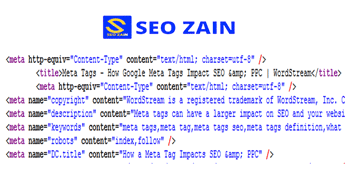
Common Meta Tag SEO Mistakes
- Using meta keywords: Google does not use them for Search ranking.
- Keyword stuffing: Repeating keywords in metadata does not replace useful content.
- Assuming Google always displays your meta description: Google may generate a different snippet.
- Using noindex accidentally: A restrictive robots directive can prevent an important page from appearing in Search.
-
Confusing title tags with meta tags:
The HTML
<title>element is technically different from a<meta>element. - Adding incorrect canonical URLs: Canonical signals should point to the genuinely preferred version of the content.
- Adding unnecessary metadata: More tags do not automatically mean better SEO.
Meta Tag SEO Checklist
Before publishing or updating a page, check the following:
- Does the page have a clear and descriptive
<title>? - Does the visible main heading accurately describe the page?
- Is the meta description accurate and useful?
- Is the page accidentally marked
noindex? - Are robots directives being used intentionally?
- Is the canonical URL correct when canonicalization is needed?
- Have obsolete meta keywords been avoided?
- Are social sharing tags accurate if social previews matter?
- Does the page contain useful, original, relevant content?
- Are important links crawlable using normal HTML anchor elements?
Google recommends using valid HTML for page metadata because invalid markup can affect how metadata is interpreted.
Do Meta Tags Improve Google Rankings?
There is no single answer because different metadata has different functions.
The HTML title helps Google understand and represent the page, while robots directives can control whether and how content is indexed or displayed. Meta descriptions can help Google understand how a page should be summarized and can influence the text available to searchers, but Google does not guarantee that the supplied description will be displayed.
By contrast, the meta keywords tag has no effect on Google Search ranking.
The most useful approach is therefore not to add as many meta tags as possible. Instead, use the metadata that has a legitimate technical or search-purpose role and make sure it accurately represents the page.
Frequently Asked Questions
Are meta keywords still important for SEO?
No. Google states that the meta keywords tag is not used for Search ranking and has no effect on indexing or ranking.
Does Google always use my meta description?
No. Google primarily generates snippets from page content and may use the meta description when it provides a more useful summary for the search query.
Is the title tag a meta tag?
Technically, no. The page title is specified with the HTML
<title> element. It is commonly grouped with meta tags in
SEO discussions because it is important page metadata.
What does the robots meta tag do?
It provides supported directives that can control indexing, crawling-related behavior, and how content such as snippets is handled. Use restrictive directives only when you have a specific reason to do so.
Do I need a canonical tag on every page?
A canonical is a useful signal when there are duplicate or substantially similar URL versions, but Google does not require every page to have a manually specified canonical. Google can choose a canonical URL itself when appropriate.
Final Takeaway
Meta tags remain useful, but modern SEO is not about filling the HTML
<head> with keywords.
Focus on the metadata that has a real purpose: write a clear
<title>, provide an accurate meta description, use robots
directives carefully, apply canonicalization when appropriate, and use social
metadata when it improves sharing.
Most importantly, do not confuse metadata optimization with SEO as a whole. Google evaluates pages using many signals, and useful, accessible, relevant content remains essential.
For the most reliable implementation guidance, consult Google's documentation on supported meta tags, Google's title-link documentation, and Google's snippet documentation.